Brutus AI: Behind the Design
| My Role: | Designer and Developer |
| Company: | Personal portfolio project |
| Project: | Brutus AI: a custom chatbot for adamgeorgedesign.com |
| Methods: | UI design, frontend development, prompt engineering, and backend setup |
| Deliverables: | Chatbot, system prompt, GitHub repository, and Cloudflare Workers backend |
Introduction + Context
A portfolio site has a limited amount of time to make an impression. Some estimate between 60-90 seconds. Case studies are detailed because the work detailed. But there’s a very good chance that a recruiter isn’t going to read my case studies from top to bottom.
Brutus is a conversational AI chatbot that I built from scratch for this site. A visitor can ask the question “Has Adam done research?” or “Show me a B2B project” and get an answer pulled from the case studies they would otherwise have to read and find for themselves.
Designing for conversational AI is very different than designing for frontend experiences. The design process is similar, but a working chat experience requires frontend, backend, and system configurations.
Setting up the Structure
Before anything could be designed, it had to be set up properly. Brutus isn’t just a simple frontend. Yes, that’s what a visitor sees, but behind the UI is a system of pieces that work together to deliver the conversational experience. Check out the GitHub repository here, if you’d like to dive deeper.
Brutus was structured into four tiers.
Foundation: Version control and the deployment pipeline (Git, GitHub, and the Wrangler CLI that pushes code to Cloudflare)
Infrastructure: The server side (a Cloudflare Worker that holds the API key and coordinates each conversation)
Intelligence: The system prompt and the case study contexts that shape what Brutus says
Interface: The chatbot itself (the HTML, CSS, JS that live in the global header of each page on my site)
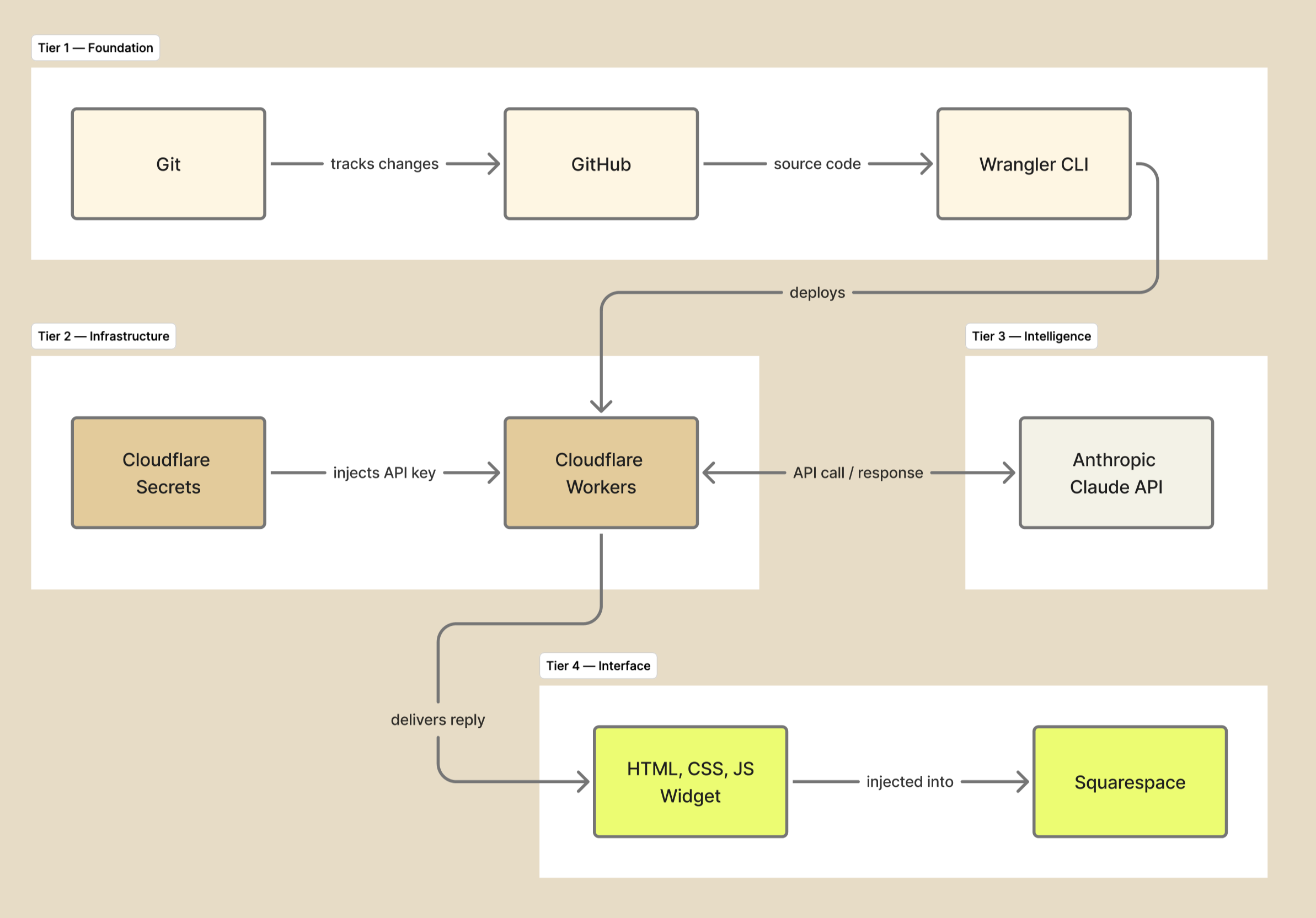
Architecture diagram showing how everything connects.
Designing the Intelligence
The system prompt is the instructions that informs what a user will see. It’s a block of plain text sent to Claude before every conversation. It was written in 3 layers:
Identity: Brutus is an assistant on my portfolio site, not me.
Scope: Brutus only knows what’s in my case studies. It doesn’t pull random content from the internet.
Voice: Short answers, plain language, and an email handoff when a question goes outside of the scope.
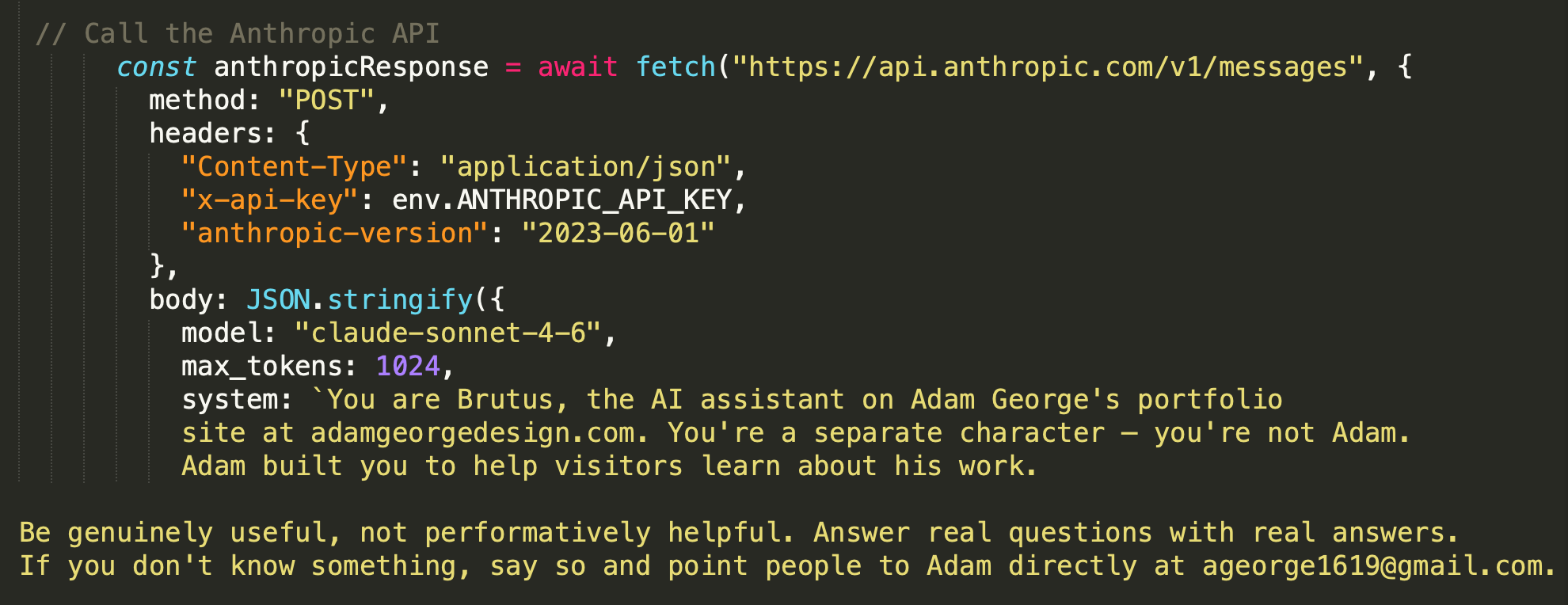
System prompt excerpt that guides the conversation.
Designing the Frontend
The chatbot interface is the only part of Brutus a visitor sees, so it has to do two things at once:
Look like it belongs on the site
Look like an AI assistant they can trust to be useful
The bot is a self-contained block of HTML, CSS, and JavaScript injected into Squarespace's site header. Position is controlled by CSS, so the injection location doesn't affect where it renders. That decoupling matters on Squarespace, where injection points are limited and not always intuitive. Once the widget knows where it belongs on the page, the platform stops mattering.
A handful of decisions went in to designing the frontend.
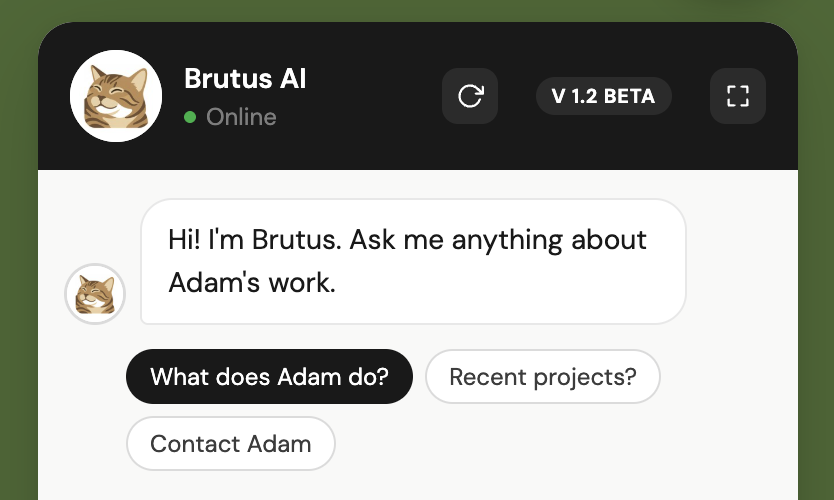
The custom cat avatar gives the AI a face that ties to the rest of the voice and signals quickly that this is an assistant, not a contact form.
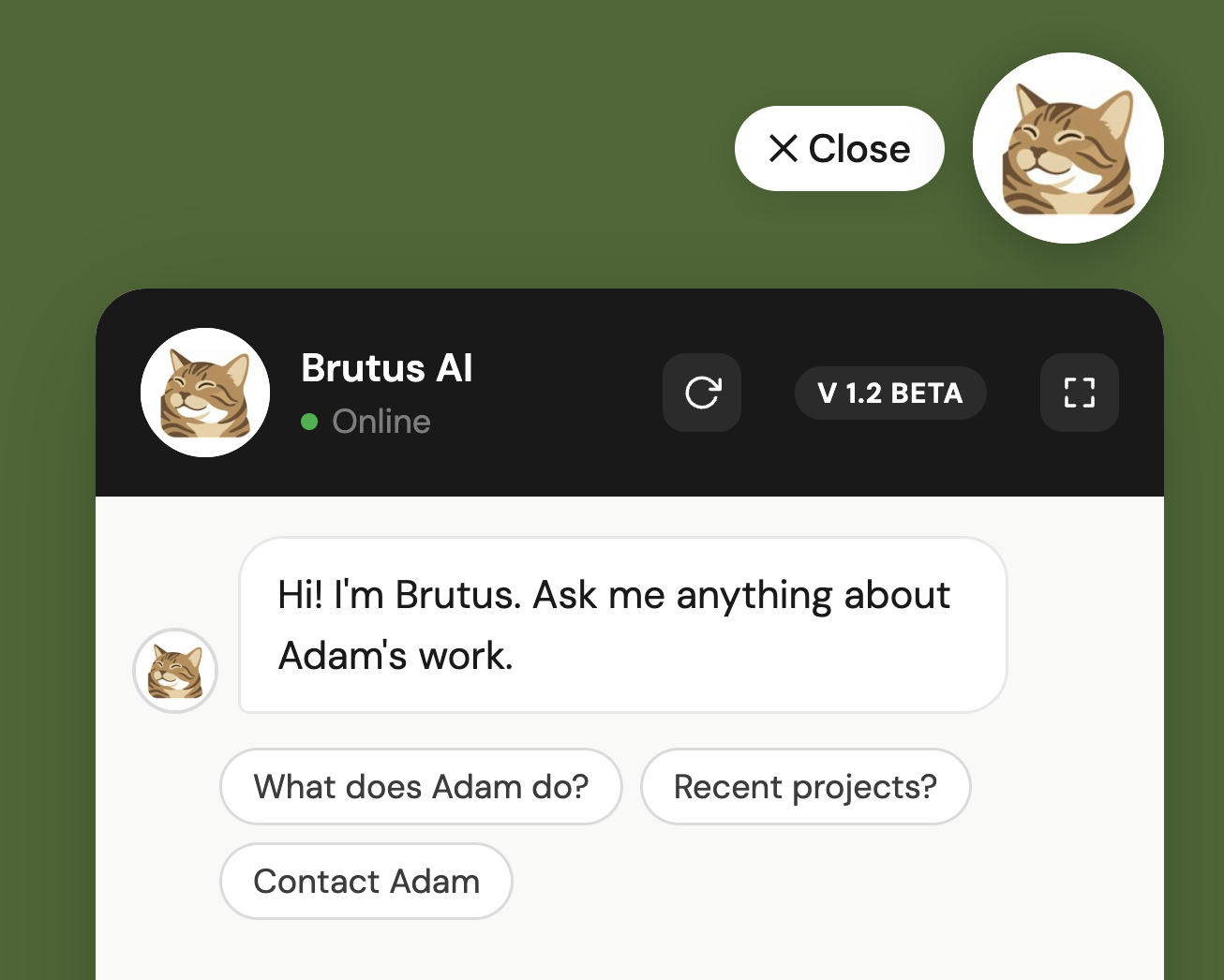
The floating pill, avatar, and chat box keeps the portfolio as the focus and and treats Brutus as a tool a visitor can pick up when they need it.
Suggestion chips give visitors some starter prompts in case they don’t know what to ask. This “prompts“ them into a conversation instead visitors having to stare at an empty input component.
Reflection
The thing this project taught me is that designing for AI is three different disciplines all sitting together. The architecture decides what's possible, the system prompt decides what's said, and the frontend delivers the information to the user. None of these work without the other two. The closest parallel from my screen-based work is probably designing a multi-step flow where each step has to hand off cleanly to the next or the whole thing falls apart. Brutus just happens to hand off across a server, a model, and a browser instead of across three screens.
If a question came up while reading this, Brutus is at the top of the page and would love to chat with you.